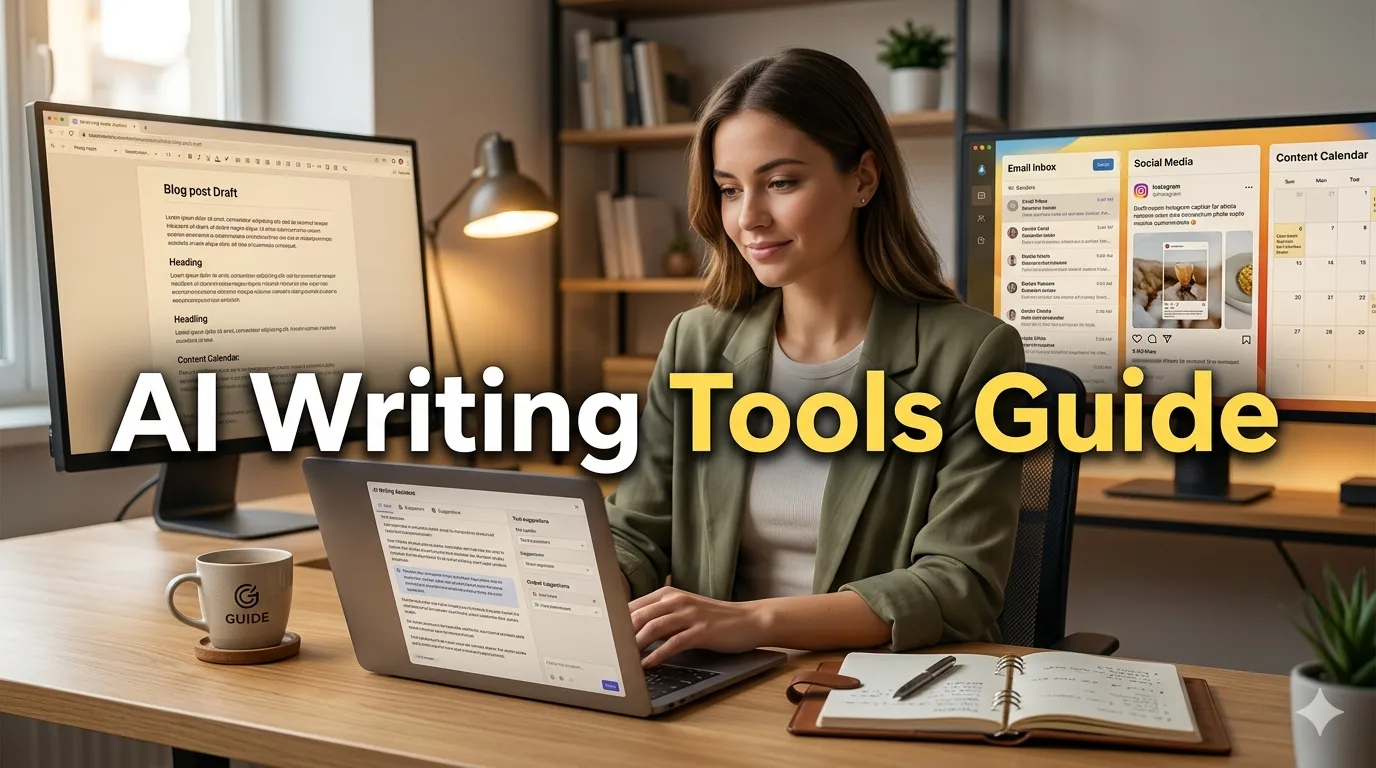
Artificial Intelligence has revolutionized content creation, making it easier than ever to write blog posts, emails, and social media captions—even if you're a complete beginner. Whether you're a small business owner, marketer, student, or aspiring content creator, AI writing tools can help you overcome writer's block, save time, and produce high-quality content consistently. But with so many AI tools available and conflicting information online, getting started can feel overwhelming.
This comprehensive beginner's guide will walk you through everything you need to know about using AI tools to write blog posts, emails, and social media captions. You'll learn which tools to use, how to write effective prompts, best practices for editing AI-generated content, and how to maintain your unique voice while leveraging AI efficiency. By the end of this guide, you'll have the confidence and practical skills to integrate AI into your content creation workflow immediately.
Whether you're writing your first blog post, struggling with email marketing, or trying to maintain an active social media presence, AI tools can be your secret weapon. Let's dive into how you can harness the power of AI to create compelling content that resonates with your audience—without spending hours staring at a blank screen.
Understanding AI Writing Tools: What They Are and How They Work
Before diving into specific tools and techniques, it's essential to understand what AI writing tools are and how they function. This knowledge will help you use them more effectively and set realistic expectations.
What Are AI Writing Tools?
AI writing tools are software applications powered by artificial intelligence, specifically large language models (LLMs) like GPT-4, Claude, or Gemini. These tools can generate human-like text based on the prompts or instructions you provide. They've been trained on vast amounts of text data, enabling them to understand context, mimic writing styles, and produce coherent content across various formats.
How Do They Work?
When you input a prompt (your instruction or question), the AI analyzes it using patterns it learned during training. It then predicts the most likely next words to create a coherent response. Think of it as an incredibly well-read assistant that can write in multiple styles and formats but needs clear direction from you.
Key capabilities include:
- Content generation: Creating original text from scratch
- Editing and rewriting: Improving existing content
- Idea generation: Brainstorming topics, angles, and approaches
- Research assistance: Summarizing information and providing context
- Formatting: Structuring content with headings, lists, and proper organization
Popular AI Writing Tools for Beginners
Free Options:
- ChatGPT (OpenAI): The most popular free AI chatbot, excellent for all content types
- Google Gemini: Google's AI assistant, great for research-based content
- Claude (Anthropic): Known for natural, conversational writing
- Microsoft Copilot: Integrated with Microsoft products, good for emails and documents
Paid Options (with free trials):
- Jasper: Specialized for marketing content and blog posts
- Copy.ai: Great for social media and short-form content
- Writesonic: Good for SEO-optimized blog posts
- Rytr: Budget-friendly option for various content types
Recommendation for beginners: Start with free tools like ChatGPT or Google Gemini. They're powerful enough for most needs and let you learn the basics without financial commitment.
Writing Blog Posts with AI: A Step-by-Step Guide
Blog posts are one of the most common content types people create with AI. Here's how to do it effectively from start to finish.
Step 1: Topic Research and Ideation
Before writing, you need a solid topic. AI can help you brainstorm ideas that resonate with your audience.
Prompt example:
"I run a small bakery in Dhaka. Generate 10 blog post ideas that would interest local customers interested in homemade cakes and pastries. Focus on seasonal topics and common questions customers ask."
What makes this prompt effective:
- Specific context (bakery in Dhaka)
- Clear audience (local customers)
- Defined focus (seasonal topics, customer questions)
- Specific number requested (10 ideas)
Step 2: Creating an Outline
Never ask AI to write a full blog post in one go. Instead, create a detailed outline first. This gives you control over the structure and ensures the content flows logically.
Prompt example:
"Create a detailed outline for a blog post titled '5 Essential Tips for First-Time Cake Bakers.' Include:
- Introduction hook
- 5 main sections with 3-4 sub-points each
- Conclusion with call-to-action
- Suggested word count for each section
Target audience: Beginners with no baking experience"
Review and refine the outline: Don't accept the first outline AI generates. Ask for revisions: - "Make the introduction more engaging" - "Add a section on common mistakes to avoid" - "Include practical examples in each section"
Step 3: Writing Section by Section
Write your blog post one section at a time. This produces higher quality content and gives you more control.
Prompt for introduction:
"Write an engaging introduction for a blog post about first-time cake baking tips. Start with a relatable problem (like a failed cake attempt), then promise a solution. Keep it conversational and encouraging. Word count: 150-200 words."
Prompt for main sections:
"Write section 2 of the blog post: 'Tip 1: Measure Ingredients Accurately.' Include:
- Why accurate measuring matters
- Common measuring mistakes beginners make
- Practical tips for measuring (mention tools like kitchen scale)
- One real-world example
Tone: Friendly and instructional, not condescending. Word count: 300 words."
Pro tip: Provide context from previous sections to maintain consistency: "We've already covered the importance of accurate measuring. Now write the next section about choosing the right flour type..."
Step 4: Adding Personal Touch and Examples
AI-generated content can feel generic. Add your unique perspective, personal stories, and specific examples to make it authentic.
How to enhance AI content:
- Add personal anecdotes: "When I first started baking..."
- Include local references: Mention local ingredient brands or shops
- Add specific examples: Instead of "use quality ingredients," say "use Pran flour or Aarong organic sugar"
- Include your opinion: "In my experience, this method works better because..."
Step 5: Editing and Polishing
Never publish AI content without editing. Here's your editing checklist:
Content quality:
- ✓ Fact-check all information
- ✓ Ensure logical flow between sections
- ✓ Remove repetitive points
- ✓ Add transition sentences between paragraphs
Voice and tone:
- ✓ Read aloud to check naturalness
- ✓ Replace AI-sounding phrases with your voice
- ✓ Ensure consistent tone throughout
SEO optimization:
- ✓ Include target keywords naturally
- ✓ Optimize meta description
- ✓ Add internal and external links
- ✓ Use proper heading hierarchy (H1, H2, H3)
Complete Blog Post Workflow Example
Here's how a complete workflow might look:
- Brainstorm: "Give me 10 blog post ideas for a fitness coach targeting busy professionals"
- Select topic: "15-Minute Morning Workouts for Busy Professionals"
- Create outline: Generate detailed structure with AI
- Write sections: One at a time with specific prompts
- Add personalization: Insert your workout experiences, client success stories
- Edit thoroughly: Check facts, improve flow, add personality
- Optimize: Add keywords, meta description, images
- Final review: Read aloud, check formatting, publish
Crafting Effective Emails with AI
Email writing is another area where AI excels. Whether you're writing marketing emails, newsletters, or professional correspondence, AI can help you communicate more effectively.
Types of Emails You Can Write with AI
Marketing and Sales Emails:
- Product launch announcements
- Promotional offers and discounts
- Abandoned cart reminders
- Re-engagement campaigns
Newsletter Content:
- Weekly or monthly updates
- Educational content
- Industry news roundups
- Company announcements
Professional Communication:
- Cold outreach emails
- Follow-up messages
- Meeting requests
- Thank you notes
Writing Marketing Emails That Convert
Step 1: Define Your Goal and Audience
Before prompting AI, clarify:
- What action do you want readers to take?
- Who are you writing to?
- What's their pain point or interest?
Step 2: Create a Compelling Subject Line
The subject line determines whether your email gets opened. Ask AI to generate multiple options:
Prompt example:
"Write 10 subject lines for an email promoting a 30% discount on handmade jewelry. Target audience: Women aged 25-40 interested in unique accessories. Make them urgent but not spammy. Keep under 50 characters."
Subject line formulas that work:
- Curiosity: "You won't believe what's inside..."
- Urgency: "Last chance: 24 hours left"
- Personalization: "[Name], this is for you"
- Benefit: "Save 3 hours every week with this"
- Question: "Ready to transform your mornings?"
Step 3: Write the Email Body
Prompt example for promotional email:
"Write a promotional email for a 30% discount on handmade jewelry. Include:
- Attention-grabbing opening line
- Brief story about why we're offering this discount
- Clear description of the offer (30% off, valid until [date])
- 3 benefits of our jewelry (handcrafted, unique designs, ethically sourced)
- Strong call-to-action button text
- P.S. with additional incentive
Tone: Warm and personal, not salesy. Keep under 200 words."
Key elements of effective marketing emails:
- Hook: First sentence must grab attention
- Value proposition: What's in it for the reader?
- Social proof: Testimonials or numbers ("Join 5,000+ happy customers")
- Clear CTA: One primary action you want them to take
- Urgency/scarcity: Reason to act now
Writing Professional Emails
Cold Outreach Email:
Prompt example:
"Write a cold outreach email to potential clients for my social media management services. Include:
- Personalized opening (mention their recent product launch)
- Brief introduction of my services
- Specific value I can provide (increase engagement by 40%)
- Social proof (managed accounts for 15+ brands)
- Clear call-to-action (15-minute discovery call)
- Professional but friendly tone
Keep under 150 words."
Follow-up Email:
Prompt example:
"Write a polite follow-up email for someone who didn't respond to my proposal sent last week. Include:
- Friendly reminder without being pushy
- Reiterate key benefit from proposal
- Offer to answer questions
- Suggest brief call if helpful
Tone: Professional and helpful, not desperate. 100 words max."
Email Writing Best Practices
Personalization: Always customize AI output with: - Recipient's name - Specific details about them or their business - Reference to previous interactions - Relevant context
Keep it concise: Busy people skim emails. Get to the point quickly.
One goal per email: Don't ask readers to do multiple things.
Mobile optimization: Keep paragraphs short (2-3 lines max) for mobile reading.
Test before sending: Send test emails to yourself to check formatting and links.
Creating Engaging Social Media Captions with AI
Social media captions require a different approach than blogs or emails. They need to be concise, engaging, and platform-specific.
Understanding Platform Differences
Each platform has unique characteristics:
Instagram:
- Visual-first platform
- Captions can be long but first 125 characters are crucial
- Use emojis strategically
- Include 5-15 relevant hashtags
- Call-to-action in caption or comments
Facebook:
- Mix of text and visual content
- Shorter captions work better (40-80 characters ideal)
- Questions drive engagement
- 2-3 hashtags maximum
LinkedIn:
- Professional tone
- Longer-form content acceptable (1,300 characters)
- Industry insights and thought leadership
- 3-5 professional hashtags
Twitter/X:
- 280 character limit
- Concise and punchy
- 1-2 hashtags
- Threads for longer content
Writing Instagram Captions That Engage
Prompt example for product post:
"Write an Instagram caption for a photo of handmade ceramic mugs. Include:
- Engaging opening line (question or bold statement)
- Brief story about the making process
- 3 key features (microwave safe, unique glaze, handcrafted)
- Call-to-action (tag a friend who loves coffee)
- 10 relevant hashtags
Tone: Warm and artistic. Keep main caption under 150 words."
Caption formulas that work:
1. Storytelling:
"[Hook] + [Story/Context] + [Value/Lesson] + [CTA]"
2. Question-based:
"[Intriguing question] + [Your perspective] + [Ask followers their opinion]"
3. Educational:
"[Problem] + [Solution/Tip] + [How to implement] + [Save/share CTA]"
4. Behind-the-scenes:
"[What you're seeing] + [Why it matters] + [Process insight] + [Engagement question]"
Creating Hashtag Strategies
Prompt for hashtag generation:
"Generate 20 Instagram hashtags for a post about homemade sourdough bread. Include:
- 5 high-competition hashtags (1M+ posts)
- 10 medium-competition hashtags (100k-1M posts)
- 5 niche hashtags (10k-100k posts)
Mix of general baking tags and sourdough-specific tags."
Hashtag best practices:
- Use a mix of popular and niche hashtags
- Keep them relevant to the content
- Place in caption or first comment (both work)
- Avoid banned or spammy hashtags
- Create a branded hashtag for your business
Writing LinkedIn Posts
Prompt example:
"Write a LinkedIn post about lessons learned from launching my first online course. Include:
- Attention-grabbing opening statistic or statement
- 3 key lessons with brief explanations
- Vulnerable moment or challenge faced
- Encouraging message for others starting out
- Question to encourage comments
Professional but conversational tone. 800-1000 characters."
LinkedIn content ideas:
- Industry insights and trends
- Personal career stories
- Lessons learned from failures
- Professional tips and how-tos
- Company milestones and achievements
- Thought leadership on industry topics
Batch Creating Social Media Content
Save time by creating multiple captions at once:
Prompt example:
"Create 7 Instagram captions for a week of content for a yoga studio. Include:
- Monday: Motivational quote about starting the week
- Tuesday: Class highlight (Vinyasa flow)
- Wednesday: Wellness tip (breathing exercise)
- Thursday: Student transformation story
- Friday: Weekend workshop promotion
- Saturday: Behind-the-scenes studio life
- Sunday: Self-care reminder
Each caption should be 100-150 words with 5 relevant hashtags and a CTA."
Mastering the Art of Prompt Writing
The quality of AI output depends heavily on the quality of your prompts. Learning to write effective prompts is the most important skill for using AI writing tools.
The Prompt Framework
Use this framework for consistent results:
C - Context: Provide background information
R - Role: Tell AI who to be (expert, friend, professional)
A - Action: Clearly state what you want
F - Format: Specify the output format
T - Tone: Define the writing style
Example using CRAFT framework:
"[Context] I'm launching a new eco-friendly clothing brand targeting millennials.
[Role] Act as an experienced copywriter specializing in sustainable fashion.
[Action] Write a product description for organic cotton t-shirts.
[Format] 150 words, include 3 bullet points of features, end with CTA.
[Tone] Conversational, environmentally conscious, not preachy."
Prompt Writing Tips
1. Be Specific:
❌ Bad: "Write about coffee" ✅ Good: "Write a 300-word blog introduction about the health benefits of drinking black coffee in the morning for busy professionals"
2. Provide Examples:
"Write product descriptions in this style:
Example: 'Hand-poured with love, our soy candles burn 40% longer than traditional candles, filling your space with natural, non-toxic fragrance.'
Now write one for organic skincare serum."
3. Set Constraints:
- Word count limits
- Reading level (e.g., "8th grade reading level")
- Specific points to include/exclude
- Tone guidelines
4. Iterate and Refine:
First prompt rarely produces perfect results. Refine based on output:
"That's good, but make it more conversational and add a statistic about customer satisfaction."
Advanced Prompting Techniques
Chain of Thought: Ask AI to think step-by-step
"Before writing the email, outline:
1. What's the main goal?
2. Who is the audience?
3. What are 3 key points to include?
4. What's the best call-to-action?
Then write the email based on this outline."
Few-Shot Learning: Provide multiple examples
"Write social media captions like these examples:
Example 1: 'Monday motivation: Your only competition is who you were yesterday. 💪 #MondayMotivation'
Example 2: 'Behind every successful person is a substantial amount of coffee. ☕ What's fueling your Monday?'
Now write one about teamwork."
Role Playing: Assign specific expertise
"You are a nutritionist with 15 years of experience writing for a health blog. Write an article about intermittent fasting for beginners that addresses common concerns and myths."
Editing and Humanizing AI Content
AI-generated content needs human editing to be truly effective. Here's how to refine AI output.
The Editing Process
Step 1: Fact-Check Everything
- Verify statistics and data
- Check dates and names
- Confirm technical information
- AI can "hallucinate" facts—always verify
Step 2: Add Your Voice
- Replace generic phrases with your unique perspective
- Add personal anecdotes and stories
- Use your brand's specific terminology
- Include local references and cultural context
Step 3: Improve Flow
- Add transition sentences between paragraphs
- Vary sentence length and structure
- Remove repetitive points
- Ensure logical progression of ideas
Step 4: Enhance Engagement
- Add questions to encourage interaction
- Include specific examples and case studies
- Add humor or personality where appropriate
- Strengthen calls-to-action
Avoiding AI Detection
While you shouldn't try to deceive readers, making content sound more human improves quality:
Common AI tells to avoid:
- Overuse of words like "delve," "leverage," "crucial," "landscape"
- Too many bullet points and lists
- Perfect grammar with no personality
- Generic statements without specifics
- Repetitive sentence structures
How to humanize:
- Use contractions (don't, can't, you're)
- Add colloquialisms and casual language
- Include imperfections (rhetorical questions, asides)
- Vary paragraph lengths
- Use active voice more than passive
Plagiarism and Originality
Important considerations:
- AI tools don't copy-paste, but they can produce similar content to training data
- Always run content through plagiarism checkers (Grammarly, Copyscape)
- Add unique insights and perspectives
- Cite sources when using specific information
- AI content should be a starting point, not final product
Building an Efficient AI Content Workflow
Integrating AI into your content creation process requires a systematic approach.
Weekly Content Planning
Monday: Planning
- Use AI to brainstorm content ideas for the week
- Create outlines for blog posts
- Plan social media themes
Tuesday-Wednesday: Creation
- Write blog posts section by section
- Draft email newsletters
- Create batch of social media captions
Thursday: Editing
- Review and edit all AI-generated content
- Add personal touches and examples
- Fact-check and optimize
Friday: Scheduling
- Schedule social media posts
- Queue email campaigns
- Publish blog posts
Tools to Combine with AI
Research:
- Google Trends: Identify trending topics
- AnswerThePublic: Find questions people ask
- BuzzSumo: Discover popular content in your niche
Writing Enhancement:
- Grammarly: Grammar and style checking
- Hemingway Editor: Improve readability
- SurferSEO: SEO optimization
Visual Content:
- Canva: Create graphics for social media
- Unsplash: Free stock photos
- DALL-E or Midjourney: AI-generated images
Scheduling:
- Buffer or Hootsuite: Social media scheduling
- Mailchimp or ConvertKit: Email marketing
- WordPress or Medium: Blog publishing
Common Mistakes to Avoid
Even experienced users make these mistakes. Learn from them:
Mistake 1: Publishing Without Editing
Problem: AI content often contains errors, generic statements, or awkward phrasing.
Solution: Always edit thoroughly. Read aloud. Get a second pair of eyes if possible.
Mistake 2: Being Too Generic
Problem: AI produces safe, middle-of-the-road content that doesn't stand out.
Solution: Add specific examples, personal opinions, controversial (but respectful) takes, and unique insights.
Mistake 3: Over-Reliance on AI
Problem: Losing your unique voice and becoming dependent on AI for all writing.
Solution: Use AI as a tool, not a replacement. Write some content manually. Use AI for brainstorming and first drafts, not final products.
Mistake 4: Ignoring SEO Best Practices
Problem: AI doesn't automatically optimize for search engines.
Solution: Learn basic SEO: keyword research, meta descriptions, header tags, internal linking. Use AI to implement these elements.
Mistake 5: Not Fact-Checking
Problem: AI can confidently state incorrect information.
Solution: Verify all facts, statistics, and claims. Cross-reference with reliable sources.
Ethical Considerations and Best Practices
Using AI responsibly is crucial for maintaining trust and integrity.
Transparency
Should you disclose AI use?
- For personal blogs/social media: Optional but appreciated
- For academic work: Usually required—check guidelines
- For journalism: Generally should disclose
- For marketing: Not required but be honest if asked
Copyright and Ownership
Current landscape:
- AI-generated content copyright status varies by country
- In most places, AI content can't be copyrighted
- Heavily edited AI content may qualify for copyright
- Always check platform terms of service
Avoiding Harmful Content
Guidelines:
- Don't use AI to create misleading or false information
- Avoid generating content that could harm others
- Don't impersonate real people without consent
- Respect privacy and confidentiality
- Avoid biased or discriminatory language
Measuring Success and Iterating
Track your results to improve your AI content strategy.
Key Metrics to Track
Blog Posts:
- Page views and unique visitors
- Time on page
- Bounce rate
- Social shares
- Comments and engagement
- SEO rankings for target keywords
Emails:
- Open rate
- Click-through rate
- Conversion rate
- Unsubscribe rate
- Reply rate (for outreach emails)
Social Media:
- Likes, comments, shares
- Reach and impressions
- Profile visits
- Follows gained
- Click-through to website
Continuous Improvement
Monthly review:
- Which content performed best? Why?
- What topics resonated with your audience?
- Which prompts produced the best results?
- What needs improvement?
- Adjust your strategy based on data
Frequently Asked Questions
Is it cheating to use AI for writing?
No, it's not cheating—it's using available tools to work more efficiently, just like using spell-check or grammar software. However, you should: - Edit and personalize AI output - Add your unique perspective and expertise - Fact-check all information - Be transparent when appropriate The key is using AI as a tool to enhance your work, not replace your thinking.
Will AI replace human writers?
AI won't replace writers, but writers who use AI will replace those who don't. AI lacks: - Genuine human experience and emotion - Original creative thinking - Cultural nuance and context - Ethical judgment - Personal voice and perspective The best content combines AI efficiency with human creativity and insight.
How much should I edit AI content?
Plan to spend 30-50% of your time editing AI output. This includes: - Fact-checking (essential) - Adding personal examples and stories - Improving flow and transitions - Adjusting tone and voice - Optimizing for SEO - Ensuring accuracy and relevance Think of AI as a first draft assistant, not a final product generator.
Can I use AI content for SEO?
Yes, but with caveats: - Google doesn't penalize AI content specifically - Google penalizes low-quality, spammy content (whether AI or human) - Focus on creating helpful, original, people-first content - Add unique value beyond what AI generates - Optimize for user intent, not just keywords - Build authority through expertise and experience
Which AI tool is best for beginners?
For beginners, start with: - ChatGPT (free): Most versatile, easy to use - Google Gemini: Great for research-based content - Microsoft Copilot: Good integration with Office tools Once you're comfortable, explore specialized tools like Jasper for marketing or Copy.ai for social media.
How do I avoid AI detection tools?
Instead of trying to "trick" detectors, focus on quality: - Add personal anecdotes and specific examples - Vary sentence structure and length - Use conversational language and contractions - Include your unique perspective and opinions - Edit thoroughly for natural flow - Add current events or recent developments High-quality, human-edited content naturally avoids detection flags.
Conclusion: Your AI Writing Journey Starts Now
AI writing tools are powerful allies in your content creation journey, but they're just that—tools. They amplify your capabilities, save you time, and help overcome creative blocks, but they can't replace your unique perspective, experiences, and voice.
The key to success with AI writing is balance: leverage AI for efficiency while maintaining your authenticity. Start small, experiment with different prompts, edit ruthlessly, and always add your human touch. Over time, you'll develop an intuitive sense for when to use AI, how to prompt effectively, and what needs your personal attention.
Remember, the goal isn't to create content faster just for the sake of speed—it's to create better content more consistently, freeing up your time for strategy, creativity, and connection with your audience.
Start today. Pick one piece of content you need to create this week. Use the frameworks and prompts from this guide. Edit thoughtfully. Publish with confidence. Then iterate and improve.
The future of content creation isn't human versus AI—it's human with AI. And that future starts now.
📖 আরও পড়ুন: Technology
- 🔗 WooCommerce Product QR Code Generator: Complete Guide
- 🔗 কম ল্যাটেন্সি গেমিং এবং ৮কে ভিডিও স্ট্রিমিংয়ের জন্য সেরা ওয়াই-ফাই ৮ রাউটার - ২০২৬ আপডেট
- 🔗 Protect Your Family from WhatsApp and Facebook Scams Bangladesh 2026
- 🔗 ePorichoy – Your Smart Digital Identity Hub
- 🔗 স্মার্টফোন ক্যামেরার ভবিষ্যৎ: এআই ও সেন্সর বিপ্লব