
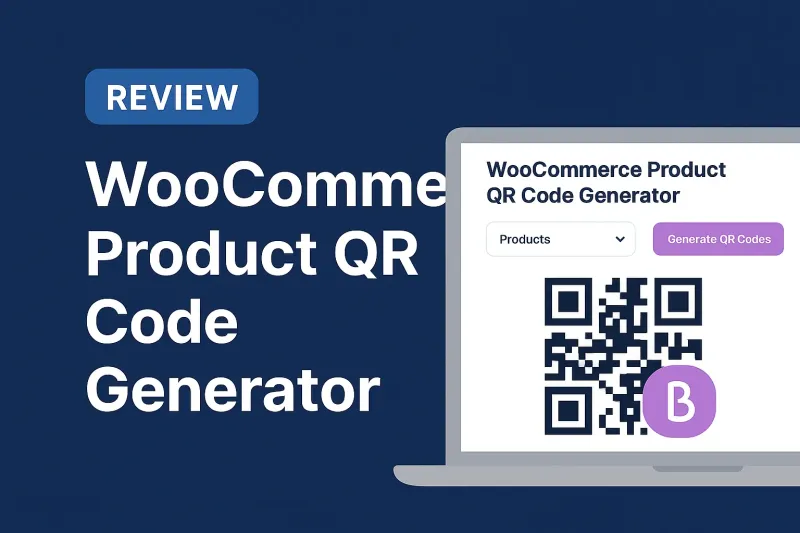
In today's fast-paced e-commerce landscape, bridging the gap between physical and digital shopping experiences is no longer optional—it's essential. Whether you're managing a warehouse, running a retail counter, or marketing your products through printed catalogs, WooCommerce Product QR Code Generator offers a powerful solution to connect your customers instantly to your online store. This innovative plugin, developed by e-Porichoy and available on Codester, transforms how you manage inventory, enhance marketing efforts, and improve customer experience.
QR codes have revolutionized the way businesses interact with customers. From scan-to-buy counters to warehouse labeling, product packaging to marketing materials, these scannable codes provide instant access to product information, pricing, and purchase pages. The WooCommerce Product QR Code Generator makes it incredibly easy to create customizable, professional QR codes for every product in your store—complete with bulk export capabilities, size and color customization, and printable PDF sheets ready for immediate use.
In this comprehensive guide, we'll explore everything you need to know about this powerful plugin: its standout features, practical applications, installation process, customization options, and real-world use cases. Whether you're a small boutique owner or managing a large-scale e-commerce operation, you'll discover how QR codes can streamline your operations and boost sales. Let's dive into how this plugin can transform your WooCommerce store.
What Is WooCommerce Product QR Code Generator?
The WooCommerce Product QR Code Generator is a specialized WordPress plugin designed to create instant, scannable QR codes for every product in your WooCommerce store . Developed by e-Porichoy and available on Codester, this tool bridges the physical and digital shopping experiences by generating unique QR codes that link directly to individual product pages .
Unlike generic QR code generators, this plugin is built specifically for WooCommerce integration, offering features tailored to e-commerce businesses. It automatically generates high-quality PNG and SVG QR codes, saves them securely in your WordPress uploads directory, and tracks creation timestamps for easy management .
Core functionality includes:
- Automatic QR code generation for WooCommerce products
- Customizable sizing, colors, and overlay options
- Bulk export capabilities in PDF format for printing
- Admin dashboard for managing products, settings, and logs
- Shortcode support for displaying QR codes anywhere on your site
- Printable A4 label sheets with grid layouts and margins
The plugin is ideal for businesses looking to improve marketing strategies, streamline inventory management, and enhance customer convenience through quick, scan-based access to product information .
Why Your WooCommerce Store Needs QR Codes
QR codes have evolved from a novel technology to an essential business tool. Here's why integrating them into your WooCommerce store is a smart move in 2026:
Enhanced Customer Experience
Modern consumers expect instant access to information. A QR code on your product packaging, in-store display, or printed catalog allows customers to:
- Instantly access detailed product information
- View pricing, reviews, and availability
- Add items to cart with a single scan
- Access digital manuals, tutorials, or warranty information
- Share products with friends via mobile devices
This seamless experience reduces friction in the buying journey and can significantly increase conversion rates.
Omnichannel Marketing Opportunities
QR codes enable you to create cohesive shopping experiences across multiple channels:
- Physical stores: Place QR codes on shelves, product tags, or window displays
- Print advertising: Include codes in magazines, flyers, or direct mail
- Packaging: Add codes to product boxes for easy reordering
- Events and trade shows: Let attendees scan to learn more or purchase
- Social media: Share QR codes in posts for quick mobile access
Improved Inventory Management
For warehouse operations and inventory tracking, QR codes provide:
- Quick product identification and location tracking
- Efficient stock counting and auditing
- Easy access to product specifications and handling instructions
- Streamlined order picking and packing processes
Contactless and Safe Shopping
In a post-pandemic world, contactless interactions remain important. QR codes enable customers to:
- Browse products without touching physical materials
- Access digital menus or catalogs
- Complete purchases without physical contact
- Receive digital receipts and confirmations
Cost-Effective Marketing
QR codes are incredibly affordable to implement:
- No expensive hardware required—customers use their smartphones
- Print on existing materials without major redesign
- Track engagement and measure campaign effectiveness
- Update linked content without reprinting codes
Key Features That Set This Plugin Apart
The WooCommerce Product QR Code Generator stands out from generic QR solutions with features specifically designed for e-commerce operations.
1. Automatic QR Code Generation
The plugin automatically generates unique QR codes for all your WooCommerce products, linking directly to individual product pages . This eliminates manual creation and ensures consistency across your entire catalog.
Benefits:
- Save time with automated generation
- Ensure every product has a scannable code
- Maintain accurate links that update automatically
- Track creation dates for each QR code
2. Extensive Customization Options
Make QR codes match your brand identity with comprehensive customization features:
- Size adjustment: Choose dimensions appropriate for different use cases (small for product tags, large for posters)
- Color customization: Match your brand colors or create contrast for better scanning
- Overlay options: Add your logo or branding elements to the center of QR codes
- Error correction levels: Configure ECC settings for optimal scanning reliability
This flexibility ensures your QR codes look professional and align with your brand guidelines.
3. Bulk Export and PDF Generation
One of the plugin's most powerful features is its bulk export capability . Generate QR codes for your entire catalog and export them in a single, print-ready PDF.
Export features include:
- A4-sized printable sheets with proper margins
- Grid layouts optimized for label printing
- Product titles and SKUs included for easy identification
- High-resolution output suitable for professional printing
- HTML format for custom layout adjustments
This is invaluable for businesses that need to print hundreds or thousands of product labels efficiently.
4. Dual Format Output (PNG + SVG)
The plugin generates QR codes in both PNG and SVG formats :
- PNG: Perfect for digital use, web display, and standard printing
- SVG: Scalable vector format ideal for large-format printing and professional design work
Having both formats ensures you can use QR codes across all mediums without quality loss.
5. Secure File Storage and Management
All QR codes are stored securely in your WordPress uploads directory under /uploads/qr-generator/ . This provides:
- Protected directory access to prevent unauthorized use
- Organized file structure for easy management
- Automatic backup with your WordPress site
- Fast loading and retrieval
6. Comprehensive Admin Dashboard
The plugin includes a user-friendly admin interface for complete control :
- Product list view: See all products and their QR code status
- Bulk generation tools: Create codes for multiple products at once
- Settings management: Configure defaults for size, color, and format
- QR code logs: Track generation history and usage
- Download options: Access individual QR codes or bulk exports
7. Shortcode Support for Flexible Display
Display QR codes anywhere on your website using simple shortcodes :
- Add to product pages for in-store pickup options
- Include on thank-you pages for easy reordering
- Display on user dashboards for account management
- Embed in custom pages or blog posts
This flexibility allows you to integrate QR codes seamlessly into your customer journey.
8. Per-Product Tracking and Metadata
The plugin stores detailed metadata for each QR code :
- Creation timestamp
- File paths for both PNG and SVG versions
- Associated product ID
- Configuration settings used
This data helps you manage your QR code inventory and troubleshoot any issues.
Practical Use Cases for WooCommerce QR Codes
Understanding how to apply QR codes in real-world scenarios helps maximize their value. Here are proven use cases:
Retail and Brick-and-Mortar Integration
Scan-to-Buy Counters:
Place QR codes at checkout counters or product displays. Customers can scan to:
- View product details and reviews
- Check inventory availability
- Purchase for home delivery
- Access size guides or color options
Smart Shelf Labels:
Replace or supplement traditional price tags with QR codes that link to:
- Detailed product specifications
- Customer reviews and ratings
- Related products or accessories
- Promotional videos or demonstrations
Warehouse and Inventory Management
Product Labeling:
Print QR codes on warehouse labels for:
- Quick product identification
- Stock level verification
- Location tracking within the warehouse
- Batch and expiry date management
Picking and Packing:
Staff can scan QR codes to:
- Verify correct items for orders
- Access packing instructions
- Update inventory in real-time
- Track order fulfillment progress
Product Packaging and Inserts
Package QR Codes:
Include codes on product packaging for:
- Easy reordering when product runs out
- Access to user manuals and tutorials
- Warranty registration
- Customer support contact
- Product care instructions
Thank-You Cards:
Add QR codes to order confirmation emails or physical thank-you cards:
- Encourage repeat purchases
- Link to complementary products
- Invite customers to leave reviews
- Offer exclusive discounts
Marketing and Advertising
Print Advertising:
Include QR codes in:
- Magazine and newspaper ads
- Direct mail campaigns
- Flyers and brochures
- Business cards
- Billboards and outdoor advertising
Event Marketing:
Use QR codes at trade shows, conferences, or pop-up shops:
- Provide instant access to product catalogs
- Capture leads for follow-up
- Offer event-exclusive discounts
- Share digital business cards
Customer Service Enhancement
Support Materials:
QR codes can link to:
- Video tutorials and how-to guides
- FAQ pages
- Live chat support
- Return and exchange policies
- Size charts and fit guides
Installation and Setup: Step-by-Step Guide
Getting started with the WooCommerce Product QR Code Generator is straightforward. Follow these steps:
Step 1: Purchase and Download
The plugin is available on Codester for $23 (regular license) . After purchase:
- Download the plugin ZIP file from your Codester account
- Save it to your computer for upload
Step 2: Upload to WordPress
There are two methods to install the plugin:
Method A: Via WordPress Admin
- Log in to your WordPress admin dashboard
- Navigate to Plugins > Add New
- Click Upload Plugin
- Choose the downloaded ZIP file
- Click Install Now
Method B: Via FTP
- Extract the ZIP file on your computer
- Use an FTP client (like FileZilla) to connect to your server
- Upload the plugin folder to /wp-content/plugins/
Step 3: Activate the Plugin
- Go to Plugins in your WordPress admin
- Find "WooCommerce Product QR Code Generator" in the list
- Click Activate
Step 4: Configure Settings
After activation, configure the plugin settings:
- Navigate to the plugin's settings page in WordPress admin
- Set default QR code size (recommended: 300x300px for general use)
- Choose default colors (black on white provides best scanability)
- Configure error correction level (Medium is usually sufficient)
- Set up overlay options if adding your logo
- Save changes
Step 5: Generate QR Codes
For Individual Products:
- Go to Products in WordPress admin
- Edit the product you want to generate a QR code for
- Look for the QR Code section (usually in product meta)
- Click "Generate QR Code"
- The code will be created and saved automatically
For Bulk Generation:
- Access the plugin's admin dashboard
- Select multiple products from the list
- Click "Bulk Generate QR Codes"
- Wait for processing to complete
- Review generated codes
Step 6: Export and Print
- Go to the bulk export section in the admin panel
- Select products to include (or choose "All Products")
- Configure layout settings (columns, margins, labels)
- Choose output format (PDF recommended for printing)
- Click "Export"
- Download the generated file
- Print on label sheets or standard paper
Step 7: Display on Your Website (Optional)
To show QR codes on product pages or other areas:
- Copy the provided shortcode (usually [product_qr_code])
- Paste it into product descriptions, pages, or template files
- Adjust parameters as needed (size, alignment, etc.)
- Preview to ensure proper display
System Requirements and Compatibility
Before installing, ensure your WordPress environment meets the plugin's requirements:
Minimum Requirements
- WordPress: Version 6.0 or higher
- PHP: Version 7.4 or higher
- WooCommerce: Latest version recommended (compatible with 3.0.x through 9.x)
- Web Server: Apache or Nginx
- Database: MySQL 5.6+ or MariaDB 10.1+
Supported Versions
The plugin is compatible with:
- WooCommerce 3.0.x, 5.x, 6.x, 7.x, 8.x, and 9.x
- WordPress 6.0, 6.1, 6.2, 6.3, 6.4, 6.5, 6.6, 6.7, and 6.8
Recommended Setup
For optimal performance:
- WordPress 6.7 or higher
- PHP 8.0 or higher
- WooCommerce 8.x or 9.x
- SSL certificate (HTTPS) for secure QR code delivery
- Adequate server storage for QR code files
Browser Compatibility
The admin interface works on all modern browsers:
- Google Chrome (latest)
- Mozilla Firefox (latest)
- Safari (latest)
- Microsoft Edge (latest)
Customization Options and Branding
Making QR codes align with your brand is crucial for professional presentation. Here's how to customize effectively:
Size Customization
Choose appropriate sizes for different applications:
- Small (150x150px): Business cards, small product tags
- Medium (300x300px): Standard labels, flyers, packaging
- Large (600x600px): Posters, banners, large displays
- Extra Large (1200x1200px): Billboards, trade show displays
Best Practice: Always test scanability at your chosen size. Smaller codes require closer scanning distance.
Color Customization
While black-on-white provides the best contrast and scanability, you can customize colors to match your brand:
Recommended Color Combinations:
- Dark blue on white (professional, brandable)
- Black on light gray (subtle, modern)
- Brand color on white (consistent branding)
- White on dark background (for dark-themed materials)
Avoid:
- Light colors on light backgrounds (poor contrast)
- Red on green (color blindness issues)
- Multiple colors in the QR code pattern (confuses scanners)
Logo Overlay
Add your logo to the center of QR codes for brand recognition:
- Prepare a square logo (PNG with transparent background works best)
- Upload via the plugin's overlay settings
- Adjust size to ensure it doesn't interfere with scanning
- Test thoroughly with multiple QR scanner apps
Important: Keep overlays small (typically 20-30% of QR code size) to maintain scannability.
Error Correction Levels
QR codes include built-in error correction to handle damage or obstruction:
- Low (L): 7% error correction (smallest file size)
- Medium (M): 15% error correction (recommended for most uses)
- Quartile (Q): 25% error correction (good for logos/overlays)
- High (H): 30% error correction (best for harsh environments)
Higher error correction increases file size but improves reliability, especially when adding overlays.
Bulk Export and Printing Guide
The bulk export feature is one of the plugin's most valuable tools for businesses with large catalogs.
Preparing for Bulk Export
- Generate QR Codes: Ensure all products have QR codes generated
- Review Settings: Confirm size, color, and format preferences
- Organize Products: Consider grouping by category or collection
Export Process
- Navigate to the bulk export section in the admin panel
- Select products to include:
- Choose specific products individually
- Select by category
- Export all products at once
- Configure layout settings:
- Number of columns (2-4 typical)
- QR code size on page
- Include product names and SKUs
- Set margins and spacing
- Choose output format:
- PDF: Best for professional printing
- HTML: For custom adjustments before printing
- Click "Export" and download the file
Printing Options
Label Sheets:
- Use standard A4 label sheets (common sizes: 21 labels per sheet)
- Ensure printer settings match label dimensions
- Test print on plain paper first to verify alignment
- Use laser printers for water-resistant labels
Standard Paper:
- Print on cardstock for durability
- Laminate for long-term use in warehouses or retail
- Cut manually or use a paper cutter for precision
Professional Printing:
- Send PDF to professional printing service for large quantities
- Request high-quality, durable materials
- Consider weather-resistant options for outdoor use
Quality Control
Before mass printing:
- Print a test sheet
- Scan multiple QR codes to verify functionality
- Check text legibility (product names, SKUs)
- Confirm alignment and margins
- Review color accuracy
Shortcode Implementation and Frontend Display
Displaying QR codes on your website enhances customer convenience and drives engagement.
Basic Shortcode Usage
The plugin provides a simple shortcode to display QR codes:
[product_qr_code]
This displays the QR code for the current product when placed in:
- Product descriptions
- Custom product tabs
- Thank-you pages
- User account pages
Advanced Shortcode Parameters
Customize display with parameters:
[product_qr_code size="300" align="center" caption="Scan to View Product"]
Available Parameters:
- size: QR code dimensions in pixels (default: 300)
- align: left, center, or right
- caption: Text displayed below the QR code
- format: png or svg
- class: Custom CSS class for styling
Display Locations
Product Pages:
Add QR codes to product descriptions so customers can:
- Save product information for later
- Share with friends via screenshot
- Access from mobile devices in-store
Thank-You Pages:
Include QR codes after purchase for:
- Easy reordering
- Access to related products
- Warranty registration
- Review submission
Email Notifications:
Embed QR codes in order confirmation emails:
- Link to order tracking
- Product care instructions
- Customer support access
Template Integration (For Developers)
For custom theme integration, use PHP:
?php
if (function_exists('display_product_qr_code')) {
    echo display_product_qr_code($product_id, array(
        'size' => 300,
        'format' => 'png'
    ));
}
?
Security and Performance Considerations
Protecting your QR codes and maintaining site performance is essential.
Security Features
Protected Directory:
The plugin stores QR codes in a secured directory (/uploads/qr-generator/) with:
- Directory indexing disabled
- Direct access restricted
- WordPress authentication required
File Validation:
- Only generates QR codes for valid WooCommerce products
- Prevents unauthorized code creation
- Sanitizes all user inputs
Performance Optimization
File Size Management:
- Generate appropriately sized codes (don't use 1200px when 300px suffices)
- Use PNG for web display, SVG only when scalability is needed
- Implement lazy loading for QR codes on product pages
Caching:
- QR codes are generated once and stored
- No regeneration on page load
- Compatible with WordPress caching plugins
Database Efficiency:
- Metadata stored in product meta (not separate tables)
- Minimal database queries
- Efficient bulk operations
Best Practices
- Regular backups of uploads directory
- Monitor storage space for large catalogs
- Use CDN for faster QR code delivery
- Implement HTTPS for secure scanning
- Test QR codes regularly to ensure functionality
Comparison: WooCommerce Product QR Code Generator vs Alternatives
How does this plugin compare to other QR code solutions?
vs. Generic QR Code Generators
WooCommerce Product QR Code Generator Advantages:
- Deep WooCommerce integration
- Automatic generation for all products
- Bulk export specifically designed for e-commerce
- Product metadata automatically included
- Admin interface built for store management
Generic Generator Limitations:
- Manual creation for each product
- No WooCommerce awareness
- Limited bulk capabilities
- No product-specific features
vs. Other WooCommerce QR Plugins
This Plugin's Strengths:
- Affordable pricing ($23 on Codester)
- Comprehensive bulk export with PDF generation
- Dual format output (PNG + SVG)
- Printable A4 label sheets
- Active development and support
Key Differentiators:
- Focus on practical business needs (inventory, marketing)
- User-friendly admin interface
- Secure file storage
- Regular updates and compatibility maintenance
Pricing and Licensing Information
The WooCommerce Product QR Code Generator is available exclusively on Codester.
Pricing Tiers
Regular License: $23
- Use on one WooCommerce store
- Free support
- Future product updates
- Suitable for single-site businesses
Extended License: Contact for Pricing
- Use on multiple client sites
- Resell as part of a product
- Custom development options
What's Included
- Complete plugin files (.php, JavaScript .js)
- Documentation and installation guide
- Free support from the developer
- Future updates and bug fixes
- Quality checked by Codester
Value Proposition
At $23, the plugin offers exceptional value:
- One-time payment (no monthly subscriptions)
- Unlimited QR code generation
- No per-product fees
- Cost-effective compared to custom development
- Time savings from automation
Troubleshooting Common Issues
Even with a well-built plugin, you may encounter occasional challenges. Here are solutions to common issues:
QR Codes Not Generating
Possible Causes:
- WooCommerce not activated or outdated
- PHP version below 7.4
- Insufficient file permissions on uploads directory
- Plugin conflict
Solutions:
- Verify WooCommerce is active and updated
- Check PHP version (upgrade if needed)
- Ensure /wp-content/uploads/ is writable (755 permissions)
- Deactivate other plugins temporarily to identify conflicts
- Review WordPress error logs
QR Codes Not Scanning
Possible Causes:
- QR code size too small
- Insufficient color contrast
- Overlay too large
- Low error correction level
- Printing quality issues
Solutions:
- Increase QR code size (minimum 2x2 cm for print)
- Use high-contrast colors (dark on light)
- Reduce overlay size to 20-30% of QR code
- Increase error correction to Medium or High
- Print at higher resolution (300 DPI minimum)
- Test with multiple scanner apps
Bulk Export Not Working
Possible Causes:
- Server memory limits too low
- Too many products processing at once
- PDF library not loaded
Solutions:
- Increase PHP memory limit (edit wp-config.php: define('WP_MEMORY_LIMIT', '256M');)
- Export in smaller batches (100-200 products at a time)
- Contact hosting provider to enable required PHP extensions
- Check server error logs
QR Codes Not Displaying on Frontend
Possible Causes:
- Incorrect shortcode usage
- Theme compatibility issues
- File path errors
Solutions:
- Verify shortcode syntax and parameters
- Test with default WordPress theme
- Check that QR code files exist in uploads directory
- Clear WordPress and browser cache
- Inspect browser console for JavaScript errors
Best Practices for QR Code Marketing
Maximize the effectiveness of your QR codes with these proven strategies:
Design Best Practices
- Size Matters: Make QR codes large enough to scan easily (minimum 2x2 cm for print)
- Contrast is Key: Use dark codes on light backgrounds
- White Space: Leave quiet zone (margin) around QR code
- Call to Action: Add text like "Scan to Shop" or "Scan for Details"
- Test Extensively: Scan with multiple devices and apps before publishing
Placement Strategies
- Eye Level: Position at natural viewing height
- Good Lighting: Ensure adequate light for scanning
- Accessible Location: Place where customers can easily approach
- Context Matters: Position near relevant products or information
Tracking and Analytics
While this plugin doesn't include built-in analytics, you can:
- Use UTM parameters in product URLs
- Track scans via Google Analytics
- Monitor product page traffic from mobile devices
- Measure conversion rates from QR code traffic
Mobile Optimization
Ensure destination pages are mobile-friendly:
- Responsive design
- Fast loading speed
- Clear call-to-action
- Easy checkout process
- Mobile payment options
Frequently Asked Questions
Can I generate QR codes for variable products?
Yes, the plugin generates QR codes for all WooCommerce product types, including variable products. Each product variation can have its own QR code linking to the parent product page with the variation pre-selected.
Do QR codes expire or stop working?
No, QR codes generated by this plugin don't expire. They remain functional as long as the product exists and is published in your WooCommerce store. If a product is deleted or unpublished, the QR code will still scan but may lead to a 404 page.
Can I change the destination URL of a QR code?
The QR codes link directly to product pages. If you need to change the destination, you would need to regenerate the QR code. However, since codes link to product URLs, any changes to the product page are automatically reflected when scanned.
Is technical knowledge required to use this plugin?
No, the plugin is designed for non-technical users. The admin interface is intuitive, and bulk operations are automated. Basic WordPress and WooCommerce knowledge is helpful but not required.
Can I use QR codes for digital products?
Absolutely! QR codes work for any product type. For digital products, they can link to download pages, license information, or product documentation.
How do I add QR codes to physical product labels?
Use the bulk export feature to generate a PDF with all your product QR codes. Print on adhesive label sheets, cut them out, and attach to your products. The A4 layout includes product names and SKUs for easy identification.
Does the plugin work with multilingual WooCommerce stores?
Yes, the plugin works with multilingual setups (WPML, Polylang, etc.). QR codes will link to the appropriate product page based on the current language context.
Can customers scan QR codes without installing an app?
Yes, most modern smartphones (iOS 11+ and Android 9+) have built-in QR code scanners in their camera apps. Customers simply point their camera at the code and tap the notification.
Conclusion: Transform Your WooCommerce Store with QR Codes
The WooCommerce Product QR Code Generator is more than just a utility plugin—it's a gateway to modernizing your e-commerce operations and enhancing customer experiences. By bridging the physical and digital worlds, QR codes open up endless possibilities for marketing, inventory management, and customer engagement.
With features like automatic generation, bulk PDF export, customizable designs, and seamless WooCommerce integration, this plugin from e-Porichoy offers exceptional value at just $23 . Whether you're managing a small boutique or a large-scale warehouse, the time savings and operational improvements justify the investment many times over.
The plugin's user-friendly interface means you don't need technical expertise to get started. Within minutes, you can generate professional QR codes for your entire catalog, export them as printable labels, and begin reaping the benefits of scan-to-buy convenience.
Ready to get started? Purchase the WooCommerce Product QR Code Generator on Codester today and take the first step toward a more connected, efficient, and customer-friendly store. Your customers will appreciate the convenience, and you'll wonder how you ever managed without it.
Remember: in today's mobile-first world, QR codes aren't just a nice-to-have—they're an essential tool for staying competitive. Don't let your business fall behind. Implement QR codes now and watch your sales, efficiency, and customer satisfaction soar.
📖 আরও পড়ুন: Technology
- 🔗 CostPro – Product Cost Calculator WooCommerce Plugin
- 🔗 ফোনের ব্যাটারি দ্রুত শেষ হওয়ার কারণ ও সমাধান
- 🔗 ব্লগ, ইমেইল কিংবা ফেসবুক ক্যাপশন: এআই (AI) টুলস ব্যবহার করে লেখালেখি করবেন যেভাবে (নতুনদের জন্য পূর্ণাঙ্গ গাইড)
- 🔗 Why Your Phone Battery Dies So Fast — And How to Fix It Without Buying New
- 🔗 ক্যানভা দিয়ে প্যাকেজিং ডিজাইন: ছোট ব্যবসার পূর্ণাঙ্গ গাইড