
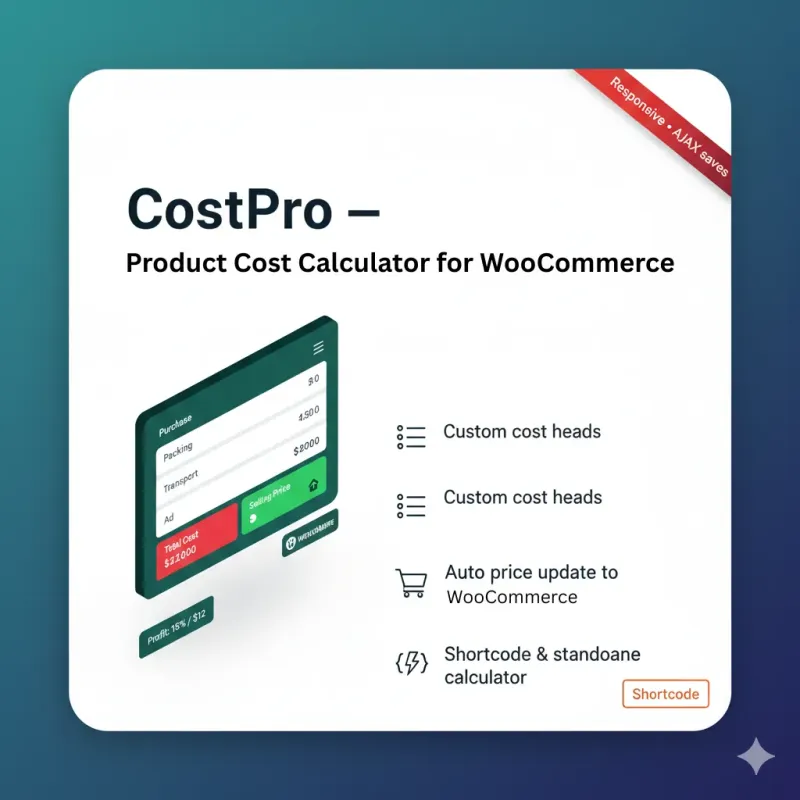
Running a successful WooCommerce store requires more than just listing products and waiting for sales. Understanding your true product costs, calculating accurate profit margins, and setting competitive prices are critical factors that determine your business's profitability. This is where CostPro – Product Cost Calculator comes in—a powerful WooCommerce plugin designed to simplify complex pricing calculations and help e-commerce store owners make data-driven pricing decisions.
Developed by ePorichoy, CostPro is a comprehensive cost management solution that enables you to calculate final product costs from customizable cost heads and apply profit margins with ease. Whether you're selling simple products or managing a complex inventory, CostPro integrates seamlessly with your WooCommerce store to automatically update product prices based on accurate cost calculations.
This comprehensive guide explores everything you need to know about CostPro, including its powerful features, installation process, usage instructions, and how it can transform your e-commerce pricing strategy.
What Is CostPro – Product Cost Calculator?
CostPro is a specialized WordPress plugin designed specifically for WooCommerce stores that need precise product cost calculation and profit margin management. Unlike basic pricing tools, CostPro allows you to break down product costs into multiple customizable categories—such as purchase price, packing, transport, advertisement, and more—then automatically calculates the final cost and applies your desired profit margin.
The plugin serves two primary purposes: first, it helps WooCommerce store owners understand the true cost of their products by accounting for all expense categories; second, it automates the pricing process by updating product prices based on calculated costs and profit margins.
Key capabilities include:
- Customizable cost heads for detailed cost breakdown
- Automatic final cost calculation across all cost categories
- Flexible profit margin application (fixed amount or percentage)
- Seamless WooCommerce integration for automatic price updates
- Standalone calculator shortcode for non-WooCommerce pages
- Responsive design compatible with most WordPress themes
Why E-commerce Stores Need CostPro
Many e-commerce entrepreneurs make the critical mistake of pricing products based solely on purchase price, ignoring hidden costs that eat into profits. CostPro addresses this common challenge by providing a comprehensive view of all costs associated with each product.
Common pricing challenges CostPro solves:
1. Hidden Costs: Beyond the purchase price, products incur various costs like shipping, packaging, storage, marketing, and handling. CostPro ensures you account for every expense category.
2. Inconsistent Pricing: Manual calculations lead to errors and inconsistencies. CostPro automates the process, ensuring accurate pricing every time.
3. Profit Margin Uncertainty: Without knowing your true costs, you can't set appropriate profit margins. CostPro provides clarity on both costs and profits.
4. Time-Consuming Calculations: Manually calculating costs for hundreds of products is impractical. CostPro streamlines the process with automated calculations.
5. Lack of Flexibility: Market conditions change, and you need to adjust prices quickly. CostPro makes it easy to recalculate and update prices instantly.
Key Features of CostPro
CostPro stands out from other pricing plugins with its comprehensive feature set designed for real-world e-commerce needs.
1. Customizable Cost Heads
One of CostPro's most powerful features is the ability to define custom cost categories that reflect your actual business expenses. Instead of being limited to a single cost field, you can create multiple cost heads such as:
- Purchase Price
- Packing Materials
- Transport/Shipping
- Advertisement/Marketing
- Storage/Warehousing
- Labor/Handling
- Taxes/Duties
- Payment Gateway Fees
- Any other business-specific costs
You can configure these cost heads globally through the settings panel, and they'll appear consistently across all your products.
2. Automatic Cost Summation
Once you've entered costs for each category, CostPro automatically calculates the total cost by summing all cost heads. This eliminates manual calculation errors and ensures you have an accurate view of your total product cost.
The calculation happens in real-time, so you can see how changes in individual cost categories affect the overall product cost immediately.
3. Flexible Profit Margin Options
CostPro offers two methods for applying profit margins:
Amount-based: Add a fixed monetary amount to your total cost. For example, if your total cost is $50 and you want to make $20 profit per unit, you simply enter $20 as the profit amount.
Percentage-based: Apply a percentage markup to your total cost. For instance, if your cost is $50 and you want a 40% profit margin, the plugin calculates the selling price as $70.
This flexibility allows you to choose the pricing strategy that best fits your business model.
4. WooCommerce Integration
CostPro integrates directly with WooCommerce, making it incredibly easy to use. When you edit a product in WooCommerce, you'll see a dedicated "CostPro: Product Costs and Profit" meta box where you can enter all cost information.
Automatic price updates: When you save a product, CostPro automatically calculates the final selling price and updates the WooCommerce product price fields (_regular_price and _price). This means your store always displays accurate, calculated prices without manual intervention.
Simple product support: The current version focuses on simple products, providing a streamlined experience for the most common product type.
5. Standalone Calculator Shortcode
Beyond WooCommerce integration, CostPro includes a shortcode [costpro_calculator] that you can use on any WordPress page or post. This is particularly useful for:
- Non-WooCommerce websites that still need cost calculation
- Creating pricing calculators for custom services
- Providing cost estimation tools for customers
- Testing different pricing scenarios
The standalone calculator uses the same cost heads you've configured in settings and provides a user-friendly interface for calculating costs and selling prices.
6. Additional Per-Product Custom Costs
Sometimes, products have unique costs that don't fit into your standard cost heads. CostPro addresses this with a repeater UI that allows you to add additional custom cost fields on a per-product basis.
For example, if you're selling a product that requires special handling or custom packaging, you can add these as one-off costs without modifying your global cost head settings.
7. Responsive Design
The plugin features a responsive front-end calculator that adapts to different screen sizes and works seamlessly with most WordPress themes. Whether your customers are on desktop, tablet, or mobile, the calculator provides a smooth user experience.
Technical Specifications
Supported Platforms:
- WooCommerce 6.x, 7.x, 8.x, 9.x
- WordPress 6.6, 6.7, 6.8
Files Included:
- PHP files for backend functionality
- JavaScript files for interactive calculations
- CSS for responsive styling
Requirements:
- WordPress installation (latest version recommended)
- WooCommerce plugin (for WooCommerce integration features)
- PHP 7.4 or higher
- MySQL 5.6 or higher
License: GPLv2 or later, ensuring freedom to use, modify, and distribute the plugin.
Installation and Setup Guide
Getting started with CostPro is straightforward. Follow these steps to install and configure the plugin:
Step 1: Installation
- Upload the plugin: Copy the costpro-product-cost-calculator folder into the wp-content/plugins/ directory of your WordPress installation.
- Activate the plugin: In your WordPress admin panel, navigate to Plugins → Installed Plugins, find "CostPro – Product Cost Calculator," and click "Activate."
Step 2: Configure Cost Heads
Before using CostPro, you need to define your cost categories:
For WooCommerce stores:
- Go to WooCommerce → CostPro Costs in your WordPress admin
- Enter one cost head per line (e.g., Purchase Price, Packing, Transport, Advertisement)
- Click "Save Changes"
For non-WooCommerce usage:
- Navigate to Settings → CostPro Costs
- Add your cost heads, one per line
- Save your settings
Example cost heads configuration:
Purchase Price
Packing Materials
Shipping/Transport
Marketing/Advertisement
Warehousing
Payment Gateway Fees
Taxes
Step 3: Using CostPro with WooCommerce Products
- Edit a product: Go to Products → All Products and edit any simple product.
- Locate the CostPro meta box: Scroll down to find the "CostPro: Product Costs and Profit" section, which appears after the product description.
- Enter cost values: For each cost head you configured, enter the corresponding amount for this product.
- Set profit margin:
- Choose profit type: Amount (fixed value) or Percentage
- Enter the profit value
- Add additional costs (optional): Use the repeater interface to add any product-specific costs that aren't covered by your standard cost heads.
- Save the product: Click "Update" or "Publish." CostPro will automatically calculate the final cost and update the product's regular price.
Step 4: Using the Standalone Calculator
If you want to use CostPro outside of WooCommerce:
- Create a new page or edit an existing one
- Add the shortcode [costpro_calculator]
- Publish the page
- Visitors can now use the calculator to input costs and profit margin to see calculated results
How to Use CostPro Effectively
Maximizing the value of CostPro requires understanding best practices for cost calculation and pricing strategy.
Identifying All Cost Components
To get accurate pricing, you need to account for all costs. Here's a comprehensive list to consider:
Direct Costs:
- Product purchase price or manufacturing cost
- Raw materials
- Direct labor
Indirect Costs:
- Packaging materials (boxes, labels, tape)
- Shipping and freight
- Storage and warehousing
- Insurance
- Import duties and taxes
Operating Costs:
- Marketing and advertising
- Payment processing fees (typically 2-4% of sale)
- Platform fees (WooCommerce extensions, hosting)
- Customer service
- Returns and refunds
Setting Appropriate Profit Margins
Profit margins vary by industry, but here are some general guidelines:
- Retail products: 30-50% margin
- Handmade/craft items: 50-100% margin
- Digital products: 70-90% margin
- Luxury goods: 60-80% margin
- Commodity products: 10-20% margin
Consider your market position, competition, and value proposition when setting margins. CostPro makes it easy to experiment with different margin percentages to find the sweet spot.
Regular Cost Reviews
Costs change over time due to inflation, supplier price changes, and operational adjustments. Schedule regular reviews (monthly or quarterly) to:
- Update cost heads if new expense categories emerge
- Adjust individual product costs based on current supplier prices
- Review profit margins to ensure they remain competitive
- Identify cost-saving opportunities
Practical Use Cases
Here are real-world scenarios where CostPro proves invaluable:
Case 1: Import Business
Situation: You import products from international suppliers.
Cost heads to configure:
- Purchase Price (from supplier)
- International Shipping
- Customs Duties
- Import Taxes
- Local Transportation
- Warehousing
- Packaging
Benefit: You can see the true landed cost of each product and price accordingly to maintain profitability.
Case 2: Handmade Products
Situation: You create handmade crafts or artisanal products.
Cost heads to configure:
- Raw Materials
- Labor (your time)
- Packaging
- Marketing
- Platform Fees
- Shipping Supplies
Benefit: Many artisans underprice their products by not accounting for labor. CostPro ensures you're compensated for all inputs.
Case 3: Dropshipping Store
Situation: You run a dropshipping business with multiple suppliers.
Cost heads to configure:
- Product Cost (supplier price)
- Shipping (if not included)
- Marketing/Advertising
- Payment Gateway Fees
- Platform Subscription
Benefit: Dropshipping margins can be thin. CostPro helps you identify which products are truly profitable.
Case 4: Wholesale to Retail
Situation: You buy wholesale and sell retail.
Cost heads to configure:
- Wholesale Purchase Price
- Transport from Wholesaler
- Storage
- Staff Costs
- Marketing
- Overhead Allocation
Benefit: Understand the full cost of bringing wholesale products to market.
Advanced Features and Customization
Per-Product Additional Costs
Beyond the standard cost heads, CostPro allows you to add product-specific costs using the repeater interface. This is useful for:
- Special handling requirements
- Custom packaging for specific products
- Quality testing fees
- Product-specific insurance
- Licensing or certification costs
To add additional costs:
- In the product edit screen, locate the "Additional Costs" section
- Enter a label (e.g., "Special Handling")
- Enter the amount
- Click "Add" to include it in the calculation
- Add as many rows as needed
Shortcode Customization
The [costpro_calculator] shortcode can be embedded anywhere on your WordPress site. This is particularly useful for:
- Creating a pricing calculator page for customers
- Building service cost estimators
- Providing transparency about your pricing
- Testing different scenarios before updating product prices
Troubleshooting Common Issues
While CostPro is designed to be user-friendly, you might encounter some common issues. Here's how to resolve them:
Issue 1: Totals Show 0.00 in Admin
Possible causes:
- Plugin not properly activated
- jQuery not loading in admin area
- JavaScript conflicts with other plugins
Solutions:
- Verify the plugin is active in Plugins → Installed Plugins
- Check browser console (F12) for JavaScript errors
- Ensure you're editing a product (costs only calculate on product edit screens)
- Even if the UI shows 0.00, saving the product will still calculate and update the price
Issue 2: Prices Don't Update After Saving
Possible causes:
- WooCommerce not active
- Product type is not "Simple Product"
- Caching issues
Solutions:
- Verify WooCommerce is installed and activated
- CostPro currently supports simple products; variable products require additional development
- Clear your browser cache and WordPress cache (if using a caching plugin)
- Check if the product price updated in the database by viewing the product on the front end
Issue 3: Settings Don't Save
Possible causes:
- Insufficient user permissions
- Security plugin interference
Solutions:
- Ensure your user account has the manage_options capability (Administrator role)
- Temporarily disable security plugins to test
- Check server error logs for PHP errors
Issue 4: Plugin Conflicts
Solution:
- Temporarily deactivate other pricing-related plugins
- Switch to a default WordPress theme (Twenty Twenty-Four) to test
- Enable WordPress debug mode to identify conflicts
- Contact ePorichoy support if conflicts persist
CostPro vs. Alternative Solutions
How does CostPro compare to other cost calculation methods?
CostPro vs. Manual Calculation
Manual calculation:
- Time-consuming and error-prone
- Difficult to update when costs change
- No centralized record of costs
- Requires spreadsheet management
CostPro:
- Automated calculations save time
- Instant updates when costs change
- All cost data stored in WordPress
- Integrated directly with products
CostPro vs. Generic Pricing Plugins
Generic plugins:
- Often limited to single cost field
- Lack customizable cost categories
- May not integrate with WooCommerce pricing
- Limited flexibility
CostPro:
- Multiple customizable cost heads
- Deep WooCommerce integration
- Flexible profit margin options
- Standalone calculator for versatility
Pricing and Licensing
CostPro is available on Codester for $20 for a regular license.
What's included:
- Full plugin source code
- Free support for 6 months
- Future product updates
- Quality-checked by Codester
- GPLv2 or later license
License details:
- Regular License: Use in a single end product where end users are not charged for access
- Extended License: Available for projects where end users are charged
- Open source under GPLv2, meaning you can modify and redistribute according to GPL terms
The plugin has no paid dependencies or recurring fees, making it a cost-effective solution for small to medium-sized e-commerce stores.
Developer Information
Developer: Abdullah Al Rahim (ePorichoy)
Company: ePorichoy - Digital Identity Hub, Smart QR and Web Development
First Release: October 4, 2025
Last Update: October 4, 2025
Contact: info@eporichoy.com
Other Products by ePorichoy:
- WooCommerce Product QR Code Generator
- e-Porichoy SEO Rank Booster Plugin
- EhanSmart SEO Sitemap Generator
- Ehan Loyalty Program for WooCommerce
- Esfar Smart Shop Reports for WooCommerce
- Arham Fake Customer Detector for WooCommerce
- Sellora - Smart e-Commerce Solution
Future Development Roadmap
While CostPro version 1.0.0 provides robust functionality for simple products, the development roadmap includes exciting enhancements:
Planned features:
- Variable product support: Extend cost calculation to WooCommerce variable products and variations
- Bulk editing: Update costs for multiple products simultaneously
- Cost history tracking: Maintain a log of cost changes over time
- Advanced reporting: Generate profit reports, cost analysis charts, and pricing insights
- Multi-currency support: Calculate costs in different currencies for international stores
- CSV import/export: Bulk import cost data or export cost reports
- API integration: Connect with external pricing and inventory systems
Best Practices for Using CostPro
To get the most out of CostPro, follow these best practices:
1. Be Comprehensive with Cost Heads
Don't just account for obvious costs like purchase price. Include all expenses, no matter how small. Even BDT 5-10 per product adds up when you're selling hundreds of units.
2. Review Costs Regularly
Supplier prices, shipping rates, and operational costs change. Schedule monthly or quarterly reviews to update your cost data and ensure prices remain accurate.
3. Test Different Profit Margins
Use CostPro to experiment with different margin percentages. Calculate how different margins affect your final price and competitiveness in the market.
4. Document Your Cost Structure
Keep notes about what each cost head includes. This helps maintain consistency and makes it easier to train team members.
5. Monitor Competitor Pricing
While CostPro ensures you're covering costs and making profit, always compare your prices with competitors to remain competitive.
6. Use Additional Costs Wisely
Reserve the "Additional Costs" feature for truly product-specific expenses. If you find yourself adding the same additional cost to many products, consider making it a standard cost head.
7. Backup Before Bulk Changes
Before making mass cost updates, backup your WooCommerce database. This allows you to restore if needed.
Security and Data Privacy
CostPro takes security and privacy seriously:
Security measures:
- Nonces protect all form submissions
- Capability checks ensure only authorized users can modify costs
- No external data transmission; all data stays on your server
- Follows WordPress coding standards for security
Data privacy:
- Stores only product meta (costs and profit margins)
- Does not collect or transmit personal data
- GDPR compliant
- No tracking or analytics built into the plugin
Frequently Asked Questions
Does CostPro work with variable products?
The current version (1.0.0) focuses on simple products. Support for variable products and variations is planned for future releases.
Can I use CostPro without WooCommerce?
Yes! While CostPro integrates with WooCommerce for automatic price updates, you can use the [costpro_calculator] shortcode on any WordPress page for standalone cost calculations.
Will my costs be visible to customers?
No. Cost data is stored as product meta and is only visible to administrators and shop managers in the WordPress admin. Customers only see the final selling price.
Can I import costs from a CSV file?
The current version doesn't include CSV import functionality, but this is planned for future updates. For now, you'll need to enter costs manually or product by product.
Does CostPro calculate taxes?
CostPro allows you to add tax as a cost head, but it doesn't automatically calculate tax rates. You'll need to enter tax amounts manually or use a separate tax calculation plugin.
What happens if I deactivate the plugin?
Deactivating CostPro won't delete your data. Product prices calculated while the plugin was active remain in WooCommerce. Cost data is preserved and will be available if you reactivate the plugin.
Can I customize the calculator appearance?
Yes. The calculator uses standard CSS classes, so you can customize its appearance by adding custom CSS to your theme. The plugin is designed to be compatible with most WordPress themes out of the box.
Is there a discount for multiple purchases?
Check the Codester listing for current promotions. ePorichoy occasionally offers bundle discounts for purchasing multiple plugins.
Do you offer customization services?
For custom development or specific integrations, contact ePorichoy directly at info@eporichoy.com to discuss your requirements.
Is technical support included?
Yes, CostPro includes 6 months of free technical support. After that, you can purchase extended support if needed.
Conclusion: Transform Your Pricing Strategy with CostPro
Accurate product costing is the foundation of a profitable e-commerce business. Without understanding your true costs, you're essentially flying blind—hoping your prices are right but lacking the data to know for certain.
CostPro – Product Cost Calculator eliminates the guesswork from pricing by providing a comprehensive, automated solution for calculating product costs and profit margins. With its customizable cost heads, seamless WooCommerce integration, and user-friendly interface, CostPro makes it easy to:
- Account for every cost component
- Calculate accurate selling prices
- Maintain healthy profit margins
- Respond quickly to cost changes
- Make data-driven pricing decisions
Whether you're running a small handmade goods store or managing a large import business, CostPro scales to meet your needs. The plugin's flexibility allows you to define cost structures that reflect your unique business model, while its automation features save you hours of manual calculation.
At just $20, CostPro offers exceptional value, especially considering the time savings and pricing accuracy it provides. The one-time purchase includes free updates and 6 months of support, with no recurring fees or paid dependencies.
Ready to take control of your product pricing? Install CostPro today and transform the way you calculate costs and set prices. Your bottom line will thank you.
Get CostPro now on Codester and start pricing with confidence!
📖 আরও পড়ুন: Technology
- 🔗 Google Keep for Baby Care: Simple Parent Organization
- 🔗 Beyond the Script: AI Chatbots Customer Experience Revolution
- 🔗 Enterprise Blockchain 2026: The Invisible Infrastructure Powering Business
- 🔗 ফোন স্লো হওয়ার ১০টি কারণ ও ফাস্ট করার কার্যকরী উপায়
- 🔗 Top 5 Intelligent Personal Robots for Elderly Care 2026